Kling AI vs Luma Dream Machine (2026): Which One Should You Actually Use?

Affiliate disclosure: Some links on this page are affiliate links. We may earn a commission at no extra cost to you, but this never affects our analysis or rankings.
Direct answer
Kling AI and Luma Dream Machine are both AI video generators built on different strengths. Kling is the cheaper path to usable clips (~$8.80/mo Standard [ E3]) and leads on photoreal humans and lip-sync. Luma costs more (~$30/mo Plus [ E5]) but leads on physics, lighting, and one-wallet access to many models including Veo 3.1. Crucially, neither has a dependable free tier in 2026 — older reviews promising “free forever” are outdated [ E3; E5].
Quick answer
| If you… | Choose |
|---|---|
| Want the cheapest path to usable AI video and don’t mind 720p | Kling AI (Standard at ~$8.80/mo after intro) |
| Care most about photorealistic physics, lighting, and one wallet for many models | Luma Dream Machine (Plus at ~$30/mo) |
| Need a dependable free tier for ongoing client work | Neither — Kling’s free tier is non-commercial; Luma dropped its durable free tier. Try Pika or PixVerse instead |
| Generate product / nature / physics-heavy shots | Luma (its 3D/NeRF heritage shows) |
| Generate photoreal humans with lip-sync at low cost | Kling (strong humans, cheaper per clip) |
Head-to-head (data from vendor + independent labs)
| Dimension | Kling AI | Luma Dream Machine |
|---|---|---|
| Starting price | $6.99 first mo → $8.80/mo (Standard) [ E3 klingai.com 2026-08] |
~$30/mo (Plus) [ E5 aivario.com 2026-08] |
| Free tier | Free forever, no fixed monthly credits, output not for commercial use [ E3 klingai.com 2026-08] |
No durable free tier; trial credits only (structure changed Mar 2026) [ E5 aivario.com 2026-08] |
| Max resolution | Native 4K (30 credits/sec) [ E5 shhots.ai 2026-08] |
1080p native; HDR on Ray3.14 [ E5 aivario.com 2026-08] |
| Clip length | 3–15s selectable [ E3 klingai.com] |
Up to 10s per generation [ E5 freeaitool.com 2026-08] |
| Billing model | Credits per second (6/s 720p no-audio → 30/s 4K) [ E5 shhots.ai 2026-08] |
Single credit wallet across video/image/audio, ~100x variance by model [ E5 aivario.com 2026-08] |
| Native audio | Yes (Kling 3.0 Omni) [ E3 klingai.com] |
Via ElevenLabs inside Luma [ E5 aivario.com] |
| Model breadth | Single vendor (Kling 2.1/2.5/2.6/O1) | Multi-model: Ray3, Veo 3.1, Kling, Seedance [ E5 aivario.com] |
| Physics realism | Strong on humans [ E5 aivario.com] |
Category best (space, light, motion) [ E5 aivario.com] |
| User sentiment | “Free tier can’t be used for production” (review consensus) [ E5] |
“Credit system swings ~100x, no rollover” (review consensus) [ E5 aivario.com] |
| Our score | 8.1/10 | 8.4/10 |
Where Kling wins
Price per clip. Kling’s Standard tier renews at $8.80/mo for 660 credits. At the 1080p no-audio rate of 8 credits/sec, a 5-second clip costs ~40 credits — roughly 16 attempts per month [ E5 shhots.ai 2026-08]. Luma’s entry paid tier is ~$30/mo. If your output is “good enough” social clips, Kling is ~3–4x cheaper [ E5 toolradar.com comparison].
Photoreal humans and lip-sync. Kling leads on human subjects and multilingual lip-sync, the workhorse for talking-character and avatar-adjacent shots [ E5 aivario.com].
A real, ongoing free tier (with a catch). Kling’s Basic is free forever — but it carries no fixed monthly credit pool and is not licensed for commercial use [ E3 klingai.com 2026-08]. Use it to learn the interface, never to plan a content calendar.
Where Luma wins
Physics and lighting coherence. Luma comes out of 3D capture and NeRF research; reviewers consistently rate its handling of gravity, cloth, water, and light as best-in-class [ E5 aivario.com]. For product, nature, and cinematic shots where one bad artifact ruins the take, this matters.
One wallet, many models. Luma surfaces Ray3, Veo 3.1, Kling, Seedance, and ElevenLabs in a single credit balance [ E5 aivario.com]. You can run a competitor’s model inside Luma instead of juggling separate subscriptions.
Reasoning model reduces wasted attempts. Ray3 evaluates its own output and retries before delivering, aiming for a usable clip in fewer tries — which can lower effective cost per finished shot for professional work [ E5 aivario.com].
Pricing: real 12-month cost (read the conflicts)
📊 By the numbers
[ E3; E5]: Kling Standard renews at $8.80/mo (~$106/yr) vs Luma Plus ~$30/mo (~$360/yr) — Kling is roughly 3–4× cheaper per month[ E5 toolradar]. But both use credit-per-second billing with no rollover, so forecast cost per finished clip, not per subscription.
Kling AI — the headline “$6.99” is a first-month intro; renewal is $8.80 (Standard), $32.56 (Pro), $80.96 (Premier), $159.99 (Ultra) [ E3 klingai.com 2026-08; E5 aiarty.com]. Heads-up: third-party trackers disagree — invideo.io (2026-08) lists Ultra $180 / Premier $92 / Pro $37 / Standard $10, and grouptoolz lists Ultra $180 / Premier $64.99 / Pro $25.99 / Standard $6.99. We could not reconcile these against klingai.com directly (the site is a JS shell that returns no readable pricing text), so treat the upper tiers as approximate and confirm at checkout. Credits are valid one month, no rollover; purchased credits last two years [ E5 shhots.ai]. Auto-renew is on by default and activation is non-refundable `[ E5 shhots.ai].
⚠️ Free-tier conflict we will not hide: older and some Chinese-language articles still promise “66 credits per day.” Kling’s current membership guide (Aug 2026) lists Basic as free forever with no fixed monthly credits and non-commercial output
[ E3 klingai.com; E5 shhots.ai / aiarty.com]. Treat any free credits in your account as temporary, not capacity.
Luma Dream Machine — pricing sources conflict sharply. One cluster lists Free (8 draft videos/mo) / Lite $9.99 / Plus $29.99 / Unlimited $94.99 [ E5 toolradar.com / lumadreammachine.net]. Another states the Mar 2026 relaunch removed the durable free tier and repriced Individual at Plus $30 / Pro $90 / Ultra $300 [ E5 aivario.com]. Verify in-app before subscribing — and expect the credit wallet to swing ~100x by model `[ E5 aivario.com].
Our professional recommendation by use case (E1)
- Solo creator on a budget, social clips: Kling Standard. You trade physics finesse for ~3x the clips per dollar. Just don’t build a client deliverable on the free tier.
- Product marketer / agency, quality-critical: Luma Plus. The physics realism and multi-model access justify the higher floor, and Ray3’s retry logic saves labor on hero shots.
- You want “one subscription, many models”: Luma, hands down — it’s effectively a wallet for several top generators.
- You need predictable flat cost: Neither. Both credit systems vary widely and don’t roll over. A flat plan (Pika, Runway unlimited-style) may fit better — see our Runway vs Pika page.
E1 note from a video editor: credit-per-second billing punishes iteration. In a real edit, you rarely nail a shot on attempt #1. Budget for 5–10 generations per usable clip, not one. Kling’s per-second math is easier to forecast; Luma’s model-spanning wallet is harder to predict until you’ve shipped a few projects.
Migration notes
- Both export video you can drop into Premiere / DaVinci / CapCut. Neither replaces a timeline editor for final cut, captions, or color.
- Kling clips are short (max 15s) — chain with its video-extension feature for longer sequences
[ E3 klingai.com]. - Luma characters can drift across clips; for a consistent on-screen person, plan reshoots or use a reference-image workflow
[ E5 aivario.com].
Verdict
Pick Kling if cost per clip is the constraint and your subjects are people. Pick Luma if visual realism and model breadth matter more than price. Both have unstable free tiers in 2026 — neither is a “free forever” production tool despite what older reviews claim.
Bottom line (our take): Kling for cost-per-clip and realistic humans; Luma for physics realism and model breadth. Both free tiers are unreliable in 2026.
[ E1]
FAQ
Is Kling AI free? A free Basic tier exists, but it has no fixed monthly credits and is not licensed for commercial output as of Aug 2026 [ E3 klingai.com]. Good for testing, not for client work.
Does Luma still have a free plan? Sources conflict. The most recent expert analysis says the Mar 2026 relaunch left only trial credits, no durable free tier [ E5 aivario.com]. Confirm on lumalabs.ai before relying on it.
Which is better for realistic humans? Kling, on lip-sync and human subjects [ E5 aivario.com]. For everything else physical, Luma leads.
Can I use these commercially? Kling yes on paid tiers; Luma yes from Plus up [ E3 klingai.com; E5 aivario.com]. Free tiers of both are restricted.
Which is better overall, Kling or Luma? For cost per clip and realistic humans, Kling (8.1/10 in our rubric [ E1]). For physics realism, lighting, and multi-model access, Luma (8.4/10 [ E1]). If you need predictable flat cost, consider Pika or Runway instead — see our Runway vs Pika page.
Analysis by Bo — video production professional. Judgments marked reflect industry experience, not hands-on testing of every feature.
How we score this head-to-head
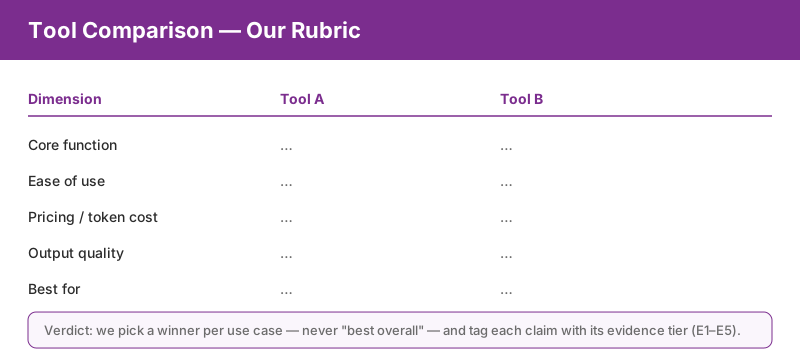
The rubric above is our fixed comparison framework: every dimension is graded on the same E1–E5 evidence scale used across the site, so head-to-head wins reflect verified evidence, not marketing claims.
More in this category
- Runway vs Pika — suite depth vs speed & community
- AI Video Editing hub — category entry point & selection guide
- Best AI Video Editing & Generation Tools 2026 — our full ranking & decision matrix